
Key Takeaways
- RES-Q enables homeowners associations to provide community-wide 5G/LTE backup internet, keeping residents connected during cable or fiber outages without requiring individual backup plans.
- The shared data pool model offers tiered options (1TB, 2.5TB, or 5TB monthly) to the HOA with residents being able to opt into the service by leasing a cellular router and multi- carrier SIM card for $16.29 per month-with no upfront hardware costs.
- Automatic failover technology detects primary ISP failures within seconds and switches to multi-carrier 5G from Verizon, AT&T, and T-Mobile for maximum reliability.
- Real-time monitoring dashboards help HOA management teams prevent overages and enforce fair-use policies across the community.
- This article walks through the architecture, cost structure, 90-day deployment roadmap, and governance best practices for rolling out RES-Q in your community.
Why HOAs Need Internet Backup
The Growing Threat of Outages
Between 2020 and 2025, extreme weather events have driven a sharp increase in ISP outages across the United States. The National Oceanic and Atmospheric Administration (NOAA) reports over 30% more billion-dollar disasters annually compared to the prior decade. Each event brings the same problem: cable and fiber lines fail, and residents lose internet access precisely when they need it most for remote work, online schooling, telehealth appointments, and emergency communication.
Most community associations today rely on each home maintaining its own connection through internet service providers such as Comcast, Spectrum, or AT&T. The vulnerability here is that neighborhood nodes and backhaul links are shared infrastructure. When a single point fails—whether from a downed pole, frozen equipment, or flooded junction box—hundreds of homes can lose service simultaneously.
The Impact of Shared Infrastructure
FCC data shows that 25% of U.S. broadband outages impact 100 or more homes at once, lasting anywhere from 4 to 48 hours. Apartments and other multi-dwelling units (MDUs) face unique challenges due to outdated wiring, making upgrades essential for reliable internet access in these settings.
Consider the 2023 Ohio Valley ice storm that knocked out cable services for hundreds of thousands of residents across Appalachia for 3 to 5 days. Families couldn’t access work VPNs, students missed days of online classes and telehealth appointments dropped by as much as 70% in affected rural communities. Smart security systems like Ring and Nest cameras went dark, delaying emergency responses when they were needed most.
Internet as Critical Infrastructure
This pattern positions high speed internet access as critical infrastructure—on par with the backup power, stormwater drainage, and emergency preparedness plans that boards already oversee. Yet while 40% of HOAs have backup generators according to Community Associations Institute surveys, very few have addressed broadband resilience.
Creating a comprehensive connectivity plan not only strengthens community bonds but also improves digital adoption across all residents. Fiber-optic networks are more resilient and less prone to service disruptions compared to older copper or coaxial cable systems. Robust infrastructure is essential for supporting long-term digital transformation in communities. Investing in connectivity today can ensure communities are better prepared for future challenges.
The RES-Q Solution
RES-Q 5G Fixed Wireless Broadband was designed specifically so homeowners associations can add a community-scale backup layer. Rather than forcing every household to purchase a separate $50–100 / month secondary ISP connection, the shared model delivers reliable connectivity at a fraction of the cost.
Benefits of Backup 5G Wireless Internet for Residents
Key Benefits
Backup 5G wireless internet offers residents a reliable safety net to maintain connectivity during primary internet outages caused by cable or fiber failures, power disruptions, or natural disasters. Unlike traditional managed Wi-Fi systems managed by HOAs, backup 5G wireless provides an independent, automatic failover solution that activates only when the main connection is lost, ensuring uninterrupted internet access without requiring residents to manage separate plans.
Key benefits include:
- Uninterrupted Connectivity: Residents can continue working remotely, attending virtual classes, accessing telehealth services, and using smart home devices seamlessly during outages.
- Automatic Failover: The system detects primary internet failures and switches to 5G wireless within seconds, requiring no user intervention and minimizing downtime.
- Cost Efficiency: By leveraging shared data pools through HOA-negotiated plans, residents avoid the high cost and complexity of individual backup internet subscriptions.
- High-Speed Performance: Modern 5G networks deliver fast speeds and low latency sufficient for streaming, video conferencing, and multiple connected devices.
- Enhanced Emergency Preparedness: Backup 5G wireless ensures critical communication channels remain open during emergencies, improving safety and response times.
- Simplicity and Convenience: Residents maintain their existing internet service and equipment, with backup 5G wireless operating silently in the background only when needed.
By adopting backup 5G wireless internet, HOAs empower their communities with resilient, affordable, and hassle-free connectivity that supports residents’ digital lifestyles and strengthens overall community resilience.
Additional Value Benefits
Backup 5G fixed wireless internet offers numerous additional value benefits for homeowners associations beyond those already mentioned. It provides a scalable and flexible solution that can easily adapt to changing community sizes and connectivity needs without requiring extensive infrastructure upgrades.
The wireless nature of 5G backup eliminates the need for costly and time-consuming physical cabling repairs or replacements during outages, enabling faster recovery times. Moreover, 5G fixed wireless backup enhances security by providing a separate, independent communication channel that is less vulnerable to physical tampering or damage compared to traditional wired networks. This separation helps protect critical systems such as security cameras, access control, and emergency communication platforms during disruptions.
Another key advantage is the ability to support a wide range of smart devices simultaneously with low latency and high throughput. This ensures that residents’ connected homes and IoT devices continue to function seamlessly even when primary internet service is unavailable. This capability is especially important as modern communities increasingly rely on smart home technologies for convenience and safety.
Environmental Impact
Backup 5G fixed wireless internet also supports environmental sustainability goals by reducing the need for additional physical infrastructure and associated resource consumption. The shared data pool model encourages efficient bandwidth use across the community, minimizing waste and lowering the overall carbon footprint of internet connectivity.
Finally, by providing a reliable and cost-effective backup connectivity solution, HOAs can enhance overall community resilience, reduce resident churn caused by connectivity frustrations, and position their properties as forward-thinking and technologically advanced. This attracts tech-savvy residents and increases long-term property values.
Understanding Community Infrastructure
Community infrastructure forms the backbone of every residential community, encompassing everything from roads and utilities to the digital networks that enable high speed internet access. For HOAs, understanding the components of this infrastructure—such as fiber lines, wireless access points, and the relationships with internet service providers—is essential for making informed decisions about upgrades and ongoing maintenance.
A well-designed infrastructure ensures that residents have consistent, high speed internet access, which is now a critical utility for work, education, and daily life. Fiber lines and robust wireless networks not only support current needs but also lay the groundwork for future digital adoption, allowing communities to keep pace with evolving technology and resident expectations.
By prioritizing infrastructure management, HOAs can avoid common pitfalls like slow internet speeds, unreliable connectivity, and inadequate support from service providers. Proactive investments in infrastructure upgrades help maintain resident satisfaction and foster long term resilience, ensuring the community remains connected even as demands grow.
Effective infrastructure planning also supports better communication within the community, enabling management teams to respond quickly to issues and coordinate with service providers for timely solutions. Ultimately, a strong infrastructure is essential for creating a thriving, connected community where residents enjoy the benefits of modern technology and reliable internet service.
Developing a Connectivity Plan
Assessing Existing Infrastructure
Creating a comprehensive connectivity plan is a vital step for community associations and HOAs aiming to deliver reliable, high speed internet access to all residents. A well-crafted plan begins with a thorough assessment of the community’s existing infrastructure, identifying strengths, weaknesses, and areas where upgrades are needed.
Engaging Stakeholders
The next step is to engage key stakeholders—including residents, management teams, and internet service providers—to understand their needs and expectations. By setting clear goals and objectives, HOAs can prioritize investments that close the digital divide, promote digital adoption, and ensure affordable, secure internet service for everyone in the community.
Planning for the Future
A robust connectivity plan also addresses future challenges, such as increasing demand for high speed internet, the proliferation of smart devices, and the need for scalable solutions that can adapt as technology evolves. By outlining strategies for ongoing maintenance, technology upgrades, and collaboration with service providers, HOAs can maintain operational efficiency and keep their communities connected for the long term.
Resource Allocation and Inclusivity
Importantly, a connectivity plan helps HOAs allocate resources effectively, avoid unnecessary costs, and ensure that every resident benefits from improved internet access. By taking a proactive approach, community associations can foster a more inclusive, resilient, and digitally empowered environment for all residents.
Introducing the RES-Q Community Backup Internet Plan: Reliable 5G Internet for HOAs
RES-Q is AV Technology’s 5G-fixed wireless platform built specifically for multi-home residential communities, HOAs, and property managers who need to maintain internet access during outages.
The core concept is straightforward:
- The HOA purchases a shared cellular data pool (1TB, 2.5TB, or 5TB monthly)
- Residents pay for pre-configured RES-Q routers for $16.29 per month through Equipment-as-a-Service. HOAs can negotiate bulk internet agreements that include backup as a standard amenity, saving residents 50–60% compared to individual retail plans.
- Routers sit behind the primary connection and only consume when the main ISP fails
- When primary service returns, the system automatically falls back to the wired connection
RES-Q uses the same enterprise-grade fixed wireless technology that businesses rely on for failover—5G/LTE connectivity, multi-carrier SIMs, automatic failover, and remote monitoring—but optimized for residential scale.
RES-Q complements rather than competes with existing connectivity arrangements. Whether your community has managed Wi-Fi, bulk internet deals, or individual ISP contracts, RES-Q sits behind the primary connection as a backup safety net. Open access fiber networks foster competition by enabling multiple providers to serve the same infrastructure, leading to better pricing and improved service quality. Creating a comprehensive broadband infrastructure is key to improving access and connectivity.
The rest of this article breaks down the architecture, pricing model, deployment workflow, and governance considerations for HOAs evaluating this solution.
Want to see how RES-Q works for your community?
Schedule a 15-minute HOA connectivity assessment to determine the right backup architecture for your property. 15-Minute HOA Connectivity Assessment
RES-Q Architecture Explained
Think of RES-Q’s architecture like a shared utility. The HOA purchases capacity once through AV Technology’s wholesale carrier agreements, and individual routers draw from that capacity only during outages—preventing the 90%+ idle waste that comes with per-home backup plans.
HOA Data Pooling Plan
The HOA selects a shared bucket size based on community needs:
- 1TB monthly: Suitable for smaller communities (50–75 homes) with moderate outage frequency
- 2.5TB monthly: Mid-tier option for communities of 100–200 homes
- 5TB monthly: Enterprise-scale for larger HOAs (300+ units) or areas with frequent outages
All participating RES-Q routers draw from this single pool, aggregated across active devices via AV Technology cloud-orchestrated SIM provisioning.
Resident Cost Model
Each participating home can lease a RES-Q router for $16.29 per month through Equipment-as-a-Service. This covers:
- Router hardware lease
- Firmware and security updates delivered over the air
- 24/7 network monitoring
- Access to multi-carrier 5G connectivity
There’s no upfront hardware purchase, and the equipment remains AV Technology-owned throughout the service period.
Overage Protection
Overage charges only apply if the entire community exceeds its pooled data allocation, billed at $6.50 per additional GB. Since usage occurs primarily during outages—not around the clock—most communities stay well within their pool.
Performance Expectations
5G fixed wireless delivers typical download speeds of 87–318 Mbps under normal network conditions, with uploads of 20–50 Mbps and latency under 50ms. This supports 4K streaming, VPN tunneling for remote work, and multi-device households with 10–15 concurrent users.
Benefits for Owners
For property owners, bulk internet solutions can increase property value, unlock new revenue streams, and provide valuable data insights. Owners can manage multiple properties efficiently with centralized, scalable network infrastructure, gaining a strategic advantage in the market.
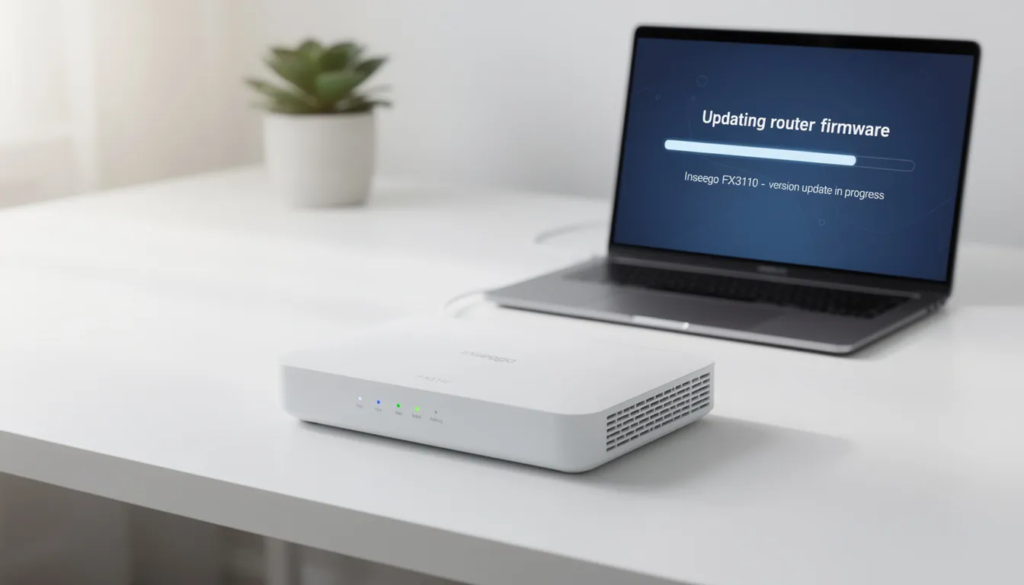
How RES-Q Works in Each Home: Automatic Failover, Not a Second ISP
Residents keep their current ISP and existing Wi-Fi setup. RES-Q activates only when the primary connection fails—acting as a silent guardian rather than a replacement service.
Physical Setup
The RES-Q device is a compact desktop unit for 5G connectivity. It features dual 1 GbE Ethernet ports that can be configured for LAN or WAN, along with USB-C for tethering. It also includes an integrated Wi-Fi access point for local device connectivity. The device is configured in failover mode and supports both bridge and router modes for flexibility with different home network configurations.
Failover Sequence
Here’s what happens when your cable or fiber goes down:
- The RES-Q device continuously monitors WAN health via ping tests every 5 seconds.
- When primary link loss is detected, the system triggers a switch to 5G within 3–10 seconds.
- Full connectivity is restored in under 30 seconds with zero-touch SIM activation.
- When primary service returns, the system automatically falls back to the wired connection.
Services That Stay Online
During an outage, these critical services continue working:
- VPN connections for remote work (IPsec and general VPN passthrough)
- VoIP and Wi-Fi calling
- Telehealth sessions using WebRTC protocols
- Smart doorbells, security cameras, and alarm systems
- School learning portals like Google Classroom and Khan Academy
- Medical monitoring devices
The Resident Experience
From the homeowner’s perspective, Wi-Fi network names and passwords don’t change. The failover happens in the background with minimal intervention required.
Picture this scenario: It’s a weekday morning at 8 AM when a utility truck accidentally damages a cable pole serving your neighborhood. Within 15 seconds, your work VPN reconnects through 5G. Your Ring doorbell continues recording and sending alerts to your phone. Your kids access their online learning portal without rebooting laptops or calling for help. Most residents won’t even realize their primary connection failed.
Multi-Carrier 5G Resilience: Why One Cellular Network Isn’t Enough
During major regional events like hurricanes, wildfires, or ice storms, a single cellular carrier can become congested or partially offline. Hurricane Helene in 2024 saturated AT&T’s network in the Carolinas, with FCC logs showing a 40% capacity drop. The Maui wildfires in 2023 crippled Verizon towers in affected areas.
RES-Q addresses this vulnerability through eSIM-based multi-profile technology that embeds profiles for all three major U.S. carriers:
- Verizon: NSA 5G with EPS fallback
- AT&T: 5G SA capable
- T-Mobile: Primary mid-band 2.5GHz spectrum
The router scans signal strength and quality every 10 seconds, automatically bonding or switching to the strongest available network. If Verizon’s 3500MHz signal weakens, the system can prioritize T-Mobile’s 1900MHz band instead.
This carrier selection is automatic and policy-driven. Residents never need to swap SIMs or manage cellular profiles manually. The cloud-driven policy engine enforces carrier preference lists and load-balancing during peak usage.
According to Opensignal Q1 2025 data, T-Mobile 5G availability sits at 92%, Verizon at 89%, and AT&T at 87%. By accessing all three networks, RES-Q achieves up to 99.9% uptime versus approximately 95% for single-carrier solutions.
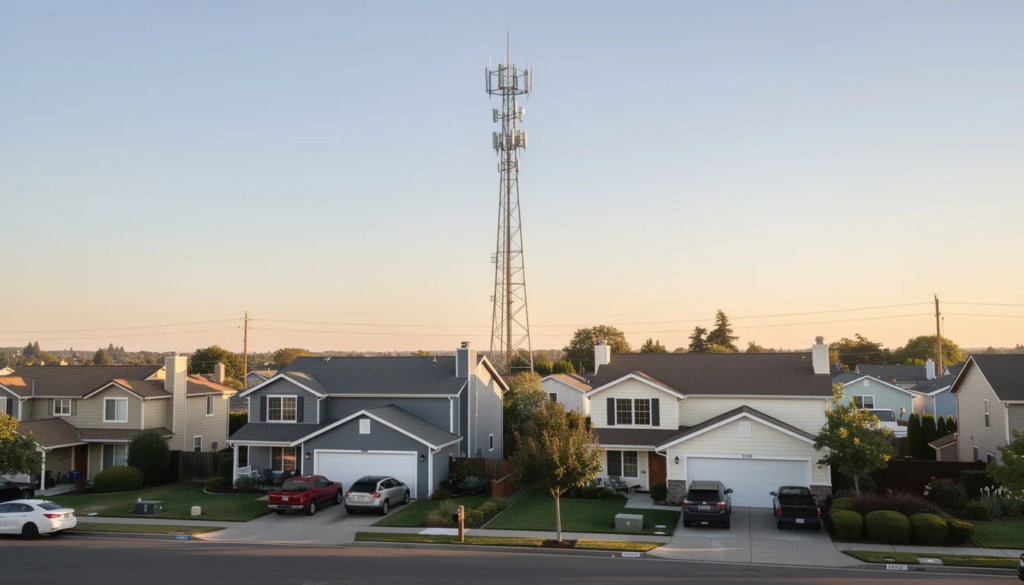
Why Data Pooling Makes Financial Sense for HOAs
Traditional backup models require each household to purchase its own full-price LTE hotspot or secondary ISP plan. A Verizon Jetpack 50GB plan runs around $60 per month—that’s $720 annually per home. But outages are sporadic. Cloudflare ISP statistics show average U.S. outages lasting about 4 hours per month, leaving more than 99% of that backup capacity completely unused.
RES-Q flips this model by allowing the HOA to function as a connectivity buffer for the entire community.
The Math Works Better at Scale
Consider a 150-home HOA with a 2.5TB monthly pool and 40% participation (60 active routers):
During a 10-hour outage, 60 homes streaming and working at 100 Mbps would consume roughly 30 GB per home—well within the 2.5TB pool. Without a major disaster, monthly utilization typically stays under 10%.
Aligns With Existing HOA Practices
This shared model mirrors how community associations already negotiate for services like trash collection, landscaping, or bulk TV packages. According to CAI data, 30% of HOAs negotiate group discounts on various services. RES-Q applies the same collective purchasing power to broadband resilience.
Costs become predictable for both the HOA and residents. Data usage scales with actual outage hours, not with the number of subscribed homes sitting idle.
Real-Time Monitoring and Fair-Use Protection With the RES-Q Dashboard
One legitimate concern with shared data pools is the risk that a single high-usage device could consume a disproportionate share of the community’s backup capacity. A cloud backup suddenly uploading 100 GB over 5G during an outage could strain the entire pool.
RES-Q addresses this through the Management Dashboard, accessible to authorized HOA representatives and AV Technology support staff.
Dashboard Capabilities
- Real-time data pool consumption at community and device levels
- Data usage tracking and advanced security features with visibility into network traffic to identify bandwidth-heavy devices
- Automated alerts at 70% and 90% of monthly pool thresholds
Fair-Use Policies
- Administrators can set policies in advance to maintain operational efficiency:
- Temporary bandwidth caps (e.g., 50 Mbps per device) during major outages
- Usage alerts sent via email and SMS to management teams
- Device-level identification for targeted resident outreach when needed
Reduced IT Burden
AV Technology handles firmware updates, security patches, and performance tuning over the air. Updates are delivered quarterly following NIST IoT security baselines, offloading technical maintenance from HOA staff.
The emphasis here is protecting the whole community’s pool—not surveillance of individual browsing behavior. The system monitors traffic volume and device status, not personal content. Similar platforms report that proactive monitoring prevents 20–30% of potential overages.
Deployment Timeline for Communities
A typical HOA can move from initial interest to live deployment in 30–90 days, depending on community size and complexity.
- Weeks 1–2: Assessment
- AV Technology works with the HOA to audit:
- ISP outage history using FCC outage database records
- Total unit count and current connectivity setup
- Resilience priorities and budget considerations
- AV Technology works with the HOA to audit:
- Weeks 3–4: Plan Design
- Based on the assessment, the HOA selects:
- Pool size (1TB, 2.5TB, or 5TB) based on outage modeling
- Target participation rate and pricing structure
- Whether RES-Q will be an opt-in amenity or baseline service
- Based on the assessment, the HOA selects:
- Weeks 5–8: Resident Onboarding
- Communication is critical for adoption:
- Email announcements and HOA portal updates
- Town hall meetings to demonstrate the technology and answer questions
- Sign-up process for the $16.29/month router service
- Installation scheduling for interested homes
- Communication is critical for adoption:
- Weeks 9–12: Deployment
- Hardware installation is designed to be plug-and-play for most homes. Approximately 80% of installations are self-service using QR-code setup and auto-provisioning. Professional field installation is available from AV Technology starting at $199 per home for more complex environments.
Recommended: Pilot Program
Before scaling to the entire community, consider a soft-launch pilot with 15–20% of homes for the first 30 days. This allows the HOA to validate pool sizing based on real-world usage and fine-tune policies before full rollout.

Governance and HOA Policies
Technical resilience is only half the equation. Clear roles, policies, and communication are essential for smooth adoption and ongoing resident satisfaction.
Define and Publish a Resilience Policy
Board members should establish written policies covering:
- Eligibility requirements (opt-in process, minimum participation periods)
- How the community data pool works and how costs are allocated
- Overage handling procedures and budget line items
- Upgrade paths as the community grows
Set Fair-Use Guidelines
Communicate expectations clearly in homeowner handbooks and welcome packets:
Communicate expectations clearly in homeowner handbooks and welcome packets:
- Discourage large OS updates or photo backups during outage periods
- Specify that backup connectivity is for essential use during outages
- Outline consequences for repeated policy violations
Integrate With Emergency Plans
RES-Q should become part of your broader emergency preparedness strategy:
- Specify how backup connectivity supports security cameras, gate systems, and common areas
- Include RES-Q in FEMA-compliant emergency notification plans
- Document roles for management during extended outages
Ongoing Communication
Maintain transparency with periodic updates:
- Quarterly metrics in newsletters (e.g., “RES-Q provided 200 hours of backup connectivity during Storm X”)
- Annual reviews at HOA meetings covering uptime data and cost performance
- Resident testimonials highlighting real-world value
Build Trust Around Privacy
Clarify that the system monitors traffic volume and device status—not personal browsing content. Privacy is protected through hashed anonymization. This distinction matters for resident buy-in.
Use Cases for HOA Backup Connectivity
Different community types face different challenges. Here’s where RES-Q provides the strongest return on investment.
Suburban Single-Family HOAs
Planned communities in suburban and exurban areas often share cable or DSL nodes, making multi-home outages common during storms. NOAA data indicates 60% of these communities are in storm-prone regions. When one node fails, dozens or hundreds of homes go dark simultaneously.
Multi-Dwelling Unit Complexes
Condos, townhomes, apartments, and mixed-use buildings often already have HOAs or community associations managing shared infrastructure like access control, security cameras, and common area networks. Adding backup connectivity fits naturally into existing operations.
Rural and Edge-of-Town Communities
FCC maps show 20% of rural areas remain unserved or underserved by fiber. Existing copper or coax infrastructure in these areas is particularly prone to weather-related failures. RES-Q bridges the gap while fiber builds progress.
Remote-Work-Heavy Communities
With 40% of the U.S. workforce now working remotely at least part-time according to BLS data, modern communities with high proportions of telecommuters face outsized impact from even brief outages. A few hours of downtime can mean missed meetings, lost productivity, and frustrated homeowners.
Communities With Telehealth Dependence
Residents using medical monitoring devices or regular telehealth appointments—common in retirement communities and areas with limited healthcare access—cannot afford connectivity gaps. RES-Q ensures those critical services remain operational.
RES-Q vs Other Backup Internet Options
HOAs evaluating backup connectivity may consider several alternatives. Here’s how RES-Q compares.
RES-Q vs. Individual LTE Hotspots
Per-home hotspots like Verizon Jetpack require separate contracts, hardware, and support for every household. Individual plans also mean individual management headaches—lost devices, forgotten passwords, billing issues multiplied across dozens of homes.
RES-Q vs. Satellite (Starlink Business)
Starlink Business can require significant upfront investment and is designed for primary use rather than outage-only backup. Satellite latency can impact real-time applications like video calls. RES-Q’s multi-carrier 5G provides lower latency and eliminates line-of-sight requirements that can challenge satellite installations in wooded or densely built areas.
RES-Q vs. Managed Wi-Fi Upgrades
Managed Wi-Fi improves day-to-day connectivity throughout the property but does nothing when the backhaul fails. RES-Q complements wired network upgrades by providing a wireless safety net. The primary network remains the backbone for daily use; RES-Q stands ready when that backbone breaks.
RES-Q vs. Doing Nothing
The cost of inaction includes lost productivity, frustrated residents, potential security vulnerabilities during outages, and the stress of being disconnected during emergencies. As digital adoption accelerates and natural disasters become more frequent, the risk of doing nothing grows.
Advancing HOA-Led Community Backup Internet for the Future
Climate trends point toward increasing risk. NOAA projects 50% more severe weather events by 2030. Aging U.S. infrastructure—median coax age exceeds 20 years—struggles under stress, with GAO estimating an $80 billion upgrade gap by 2030. Meanwhile, Pew research shows 93% of Americans now use the internet daily.
Modern communities increasingly expect HOAs to provide not just traditional amenities like pools and gyms, but also digital amenities like secure, reliable connectivity. CAI surveys indicate 35% of community associations are planning connectivity improvements for 2026 and beyond.
RES-Q positions boards to treat broadband resilience the way they already treat backup power, storm hardening, and emergency notification systems—centralized, professionally managed, and scaled across the community.
For HOAs evaluating 2024–2026 budgets, shared backup connectivity represents long term resilience at affordable pricing. Communities with frequent outages, growing remote work populations, or aging infrastructure have the most to gain.
To explore whether RES-Q fits your community’s needs, visit the Albion Ventures marketplace for HOA-specific demos and pricing discussions. The future of community connectivity is shared, resilient, and within reach.
FAQ
How many homes can share a single RES-Q community data pool?
Pool sizing is flexible based on community size and local outage patterns. Smaller HOAs typically start with 1TB for 50–75 homes, while larger communities of 100–300+ homes often select 2.5TB or 5TB depending on expected outage frequency. AV Technology works with each HOA to size the initial pool based on historical outage data, and the plan can be adjusted after the first few months of real-world usage. Communities can scale up as participation grows or if early data shows higher demand than anticipated.
What happens if the community exceeds its monthly data pool?
If usage exceeds the shared pool, overage is billed at $6.50 per GB to the HOA or designated billing entity. However, the real-time dashboard provides alerts at 70% and 90% of pool capacity, giving management teams time to implement fair-use policies or communicate with residents before overages occur. Some HOAs build a contingency line item into their annual budget to cover potential overages during severe outage events—treating it like a deductible on community insurance.
Can RES-Q work with any existing ISP or router in resident homes?
RES-Q is designed to be ISP-agnostic and integrates with common cable, fiber, and DSL gateways from major U.S. providers including Comcast xFi, AT&T BGW, and similar equipment. The system supports DHCP and WAN passthrough modes compatible with approximately 95% of consumer gateways. For edge cases involving older equipment or custom network configurations, AV Technology provides remote configuration guidance or optional on-site installation starting at $199 to ensure automatic failover works correctly.
Is special IT expertise required for the HOA to manage RES-Q?
RES-Q is built for communities with limited IT staff. Devices arrive pre-configured with auto-provisioning via QR code. Firmware updates and security patches are delivered automatically over the air by AV Technology. The HOA’s primary responsibilities are policy decisions—who participates, how costs are recovered—and light oversight via the web dashboard. Day-to-day network engineering is handled by AV Technology’s support team, not HOA volunteers or property managers.
How long is the commitment for residents and the HOA?
Typical RES-Q Community Resilience Broadband agreements are structured on multi-year terms for the HOA to lock in retail pricing and service levels. Resident equipment subscriptions at $16.29/month can be aligned with HOA policies on minimum participation periods—often matching lease terms or annual cycles. AV Technology typically offers a 14-day trial or pilot window for the community to validate performance before full-scale rollout, consistent with broader RES-Q service guarantees. This allows customers to experience the service before making a long-term commitment.
Data Sources and Research
National Oceanic and Atmospheric Administration disaster database
 Continue with Google